Inbox
The realtime two-pane WhatsApp Inbox in the WaSphere dashboard — live SSE updates, media, polls, reactions, tags, notes, search, and multi-session.
Inbox
The Inbox is a full two-pane WhatsApp conversation view built into the WaSphere dashboard. Read incoming messages, reply, and manage every conversation in real time — the thread updates over Server-Sent Events (SSE), so there is no polling and no page refresh.
New in v1.1.0. The Inbox is part of the open-source dashboard. It talks to the Dashboard API over the same authenticated channel as the rest of the dashboard — no extra setup beyond a connected session.
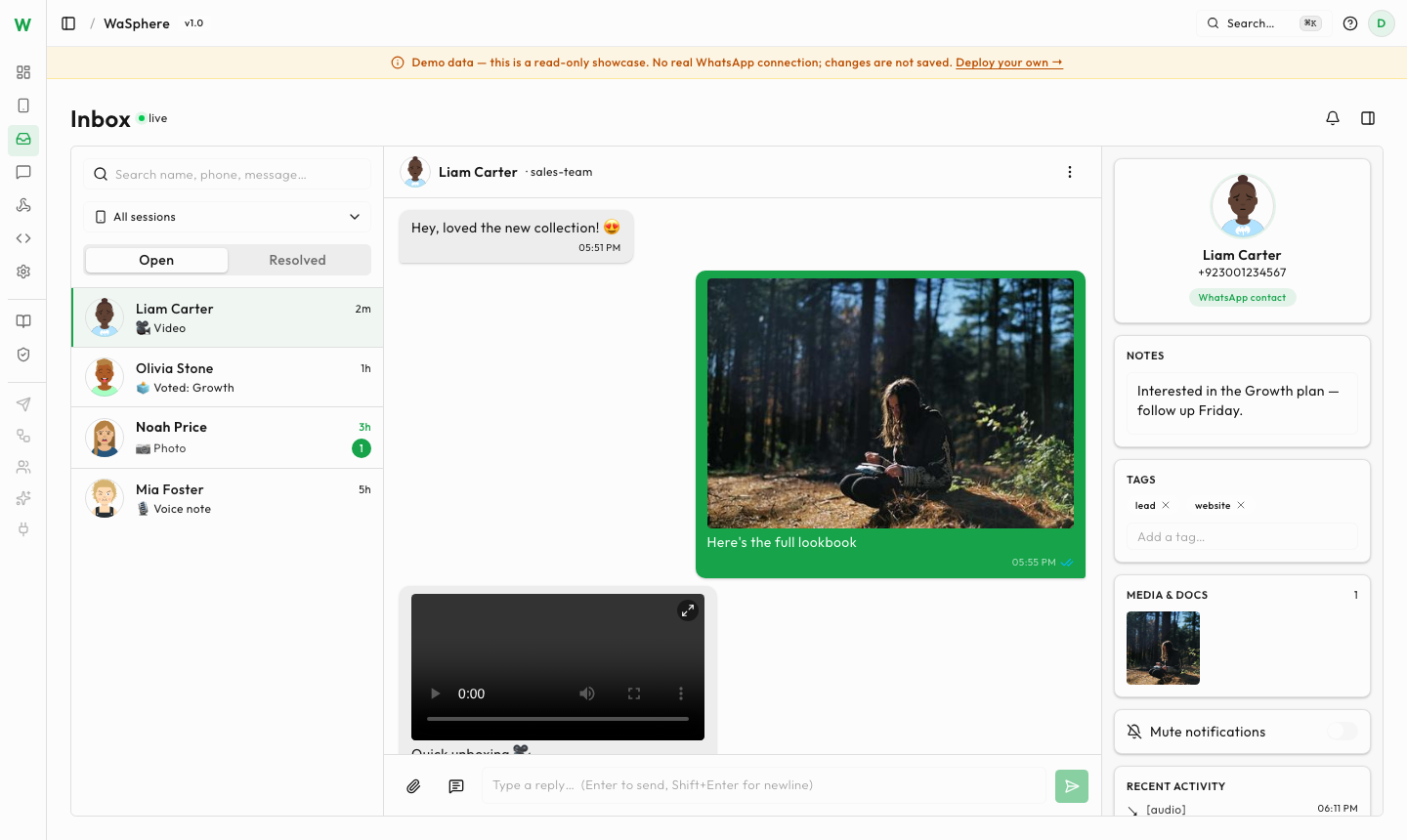
Layout
The Inbox is split into two panes:
- Conversation list (left) — every chat for the selected session, newest activity first, with unread indicators, tags, and search.
- Message thread (right) — the live conversation. New inbound and outbound messages appear instantly via SSE, with delivery and read state reflected as it changes.
Switch between connected WhatsApp numbers from the session selector — each session has its own Inbox.
What you can do
Send & receive all media
Send and receive images, video, audio, and documents directly in the thread. Inbound media renders inline with thumbnails; outbound media is uploaded and delivered through the WA Server.
Polls with vote decryption
When a poll is sent in a chat, the Inbox shows the poll and decrypts individual votes as they arrive — so you can see exactly who voted for which option. This is what makes WaSphere polls usable for things like Shopify order confirmations, where you need to act on a specific customer's choice.
Reactions
Send emoji reactions on any message, and see reactions that contacts add to your messages.
Tags, notes & search
Organize conversations with per-chat tags and private notes, and use full-text search to find a message or a contact across the Inbox.
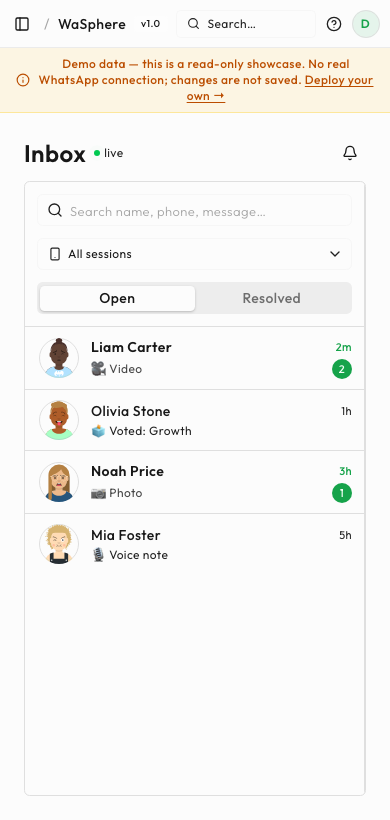
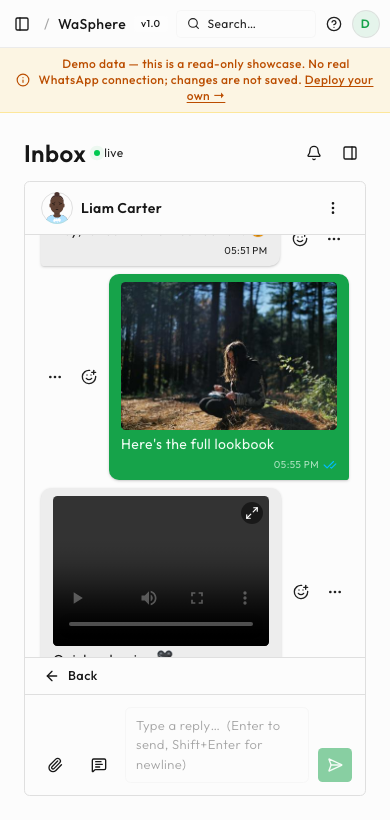
Mobile
The Inbox is fully mobile-responsive — the two panes collapse into a list-then-thread flow so you can triage and reply from your phone.
Polls in detail
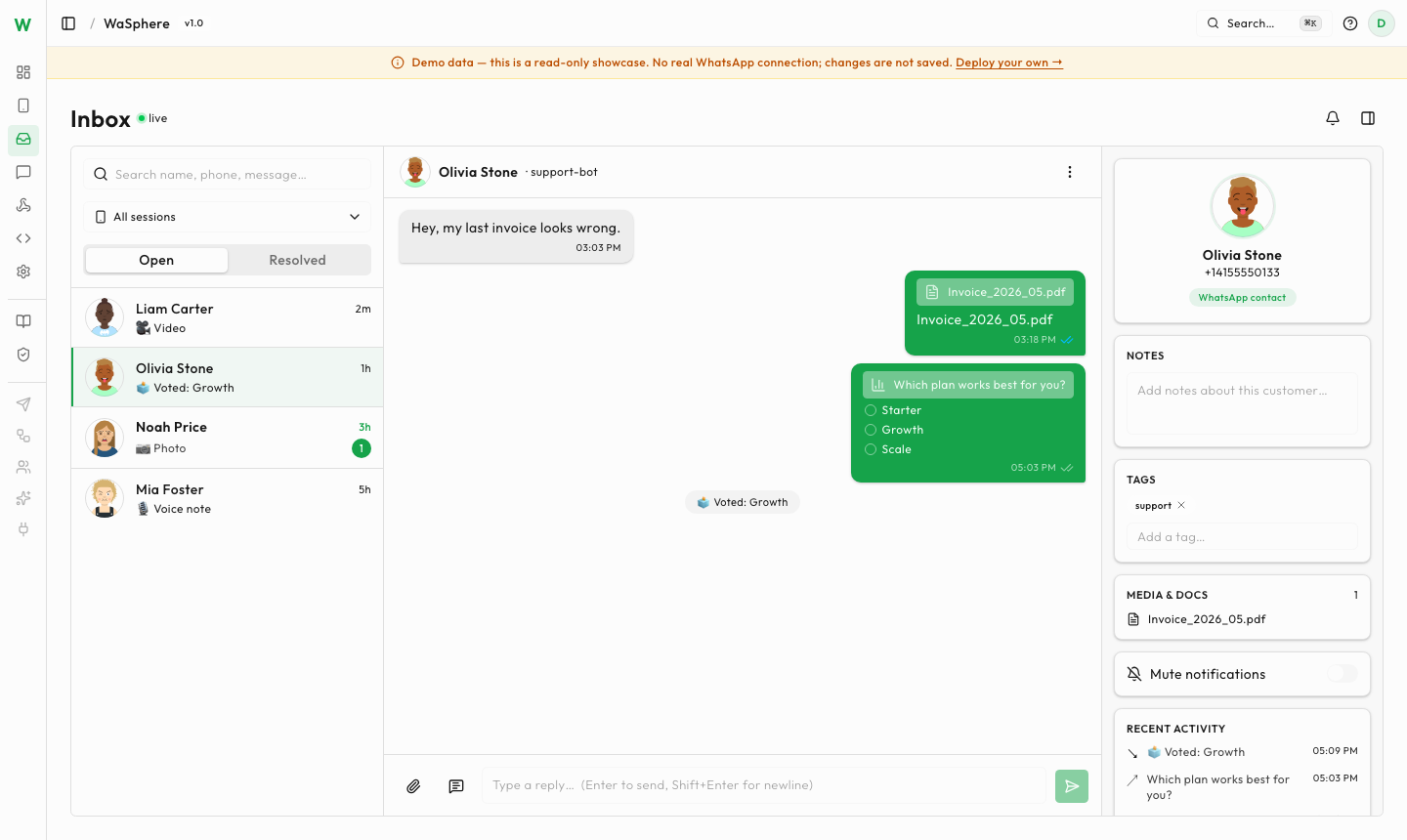
Poll votes are end-to-end encrypted by WhatsApp. WaSphere decrypts each vote against the original poll message so the Inbox (and your webhooks) receive the resolved option a contact selected, not an opaque token.
Requirements
- A connected session (scan the QR from Sessions → New Session).
- The dashboard reachable in your browser — the Inbox is part of the Dashboard UI.
Related
- Contacts — the shared contact book behind the tags, notes, and contact cards
- Team & Roles — give agents Inbox access without handing over the whole workspace
- Message templates — reach people outside the 24-hour window
Try it
See the Inbox with live data at demo.wasphere.com, or follow the Quick Start to run the full stack yourself.